Showing posts with label Samsung S5360. Show all posts
Showing posts with label Samsung S5360. Show all posts
Sunday, October 27, 2013


Samsung S5360 (Galaxy Y) no light Tested and Done
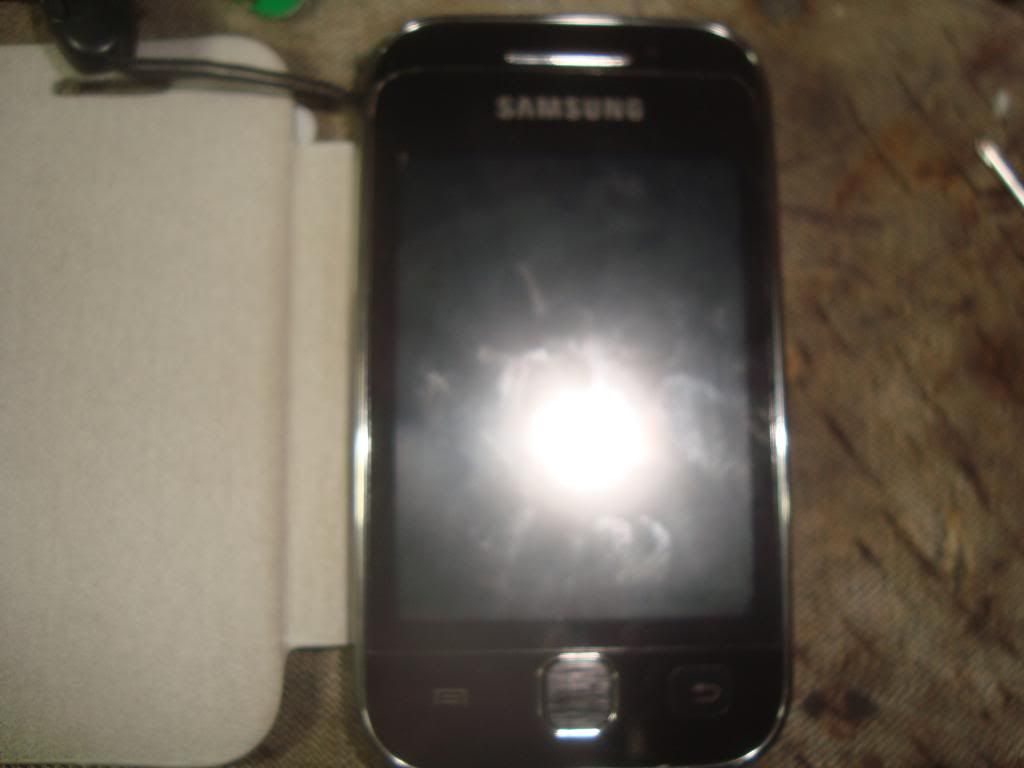
ito po sya pag receive ko...kung titingnan po off ang unit pero naka on po ito...

history:
ayon sa costumer bigla lang daw po nawala ang light,naglalaro lang po daw siya ng
(fruit ninja) sa cp niya tapos bigla nalang daw nawala ang light...akala daw niya dead ang cp niya pero nung may tumawag nag-ring daw...nung tinutukan daw niya ng flashlight dun niya nakita na light lang pala daw ang nawala pero may display pa daw...
actions taken:
1st step:
basics po muna...check kung na-basa po ba...pag-check ko negative naman po,malinis naman po ang board...
2nd step:
change good lcd...but still no luck parin po...
3rd step:
brush at nilinis ko po ang connector ng lcd but still no luck...
4th step:
find light components at tingnan kung may sunog bang mga pyesa...so far negative po...
5th step:
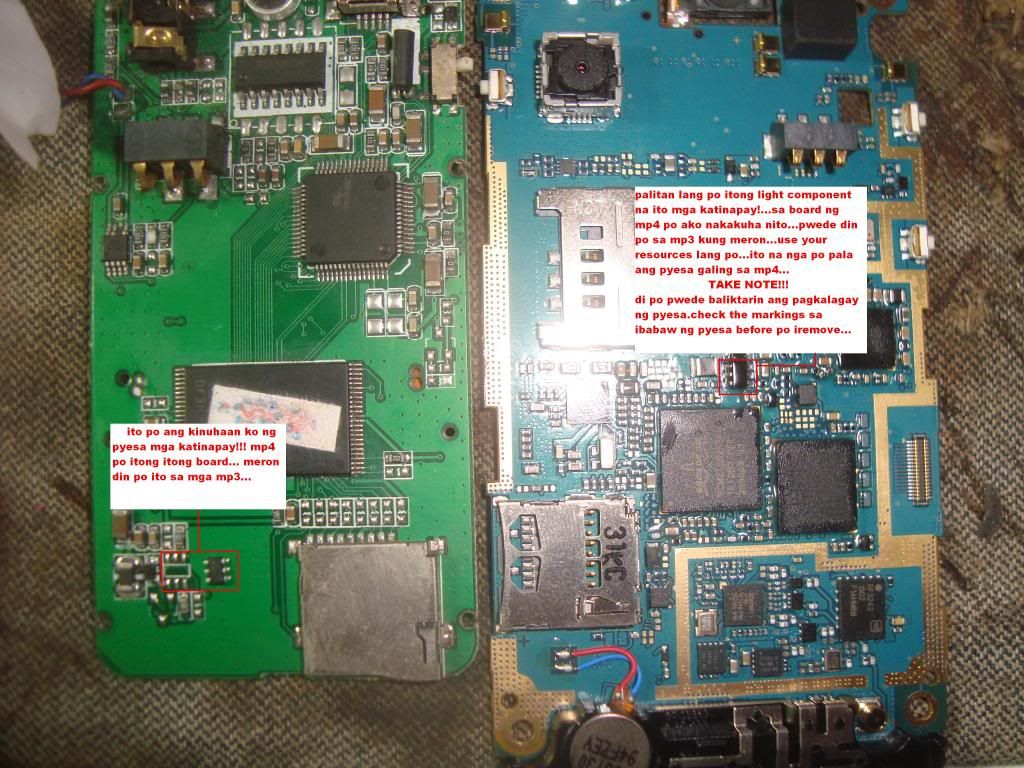
nagdecide na po ako ihardware ang unit...hinanap ko po ang mga light components then replace...isang pyesa lang po ang pinalitan ko

6th and final step:
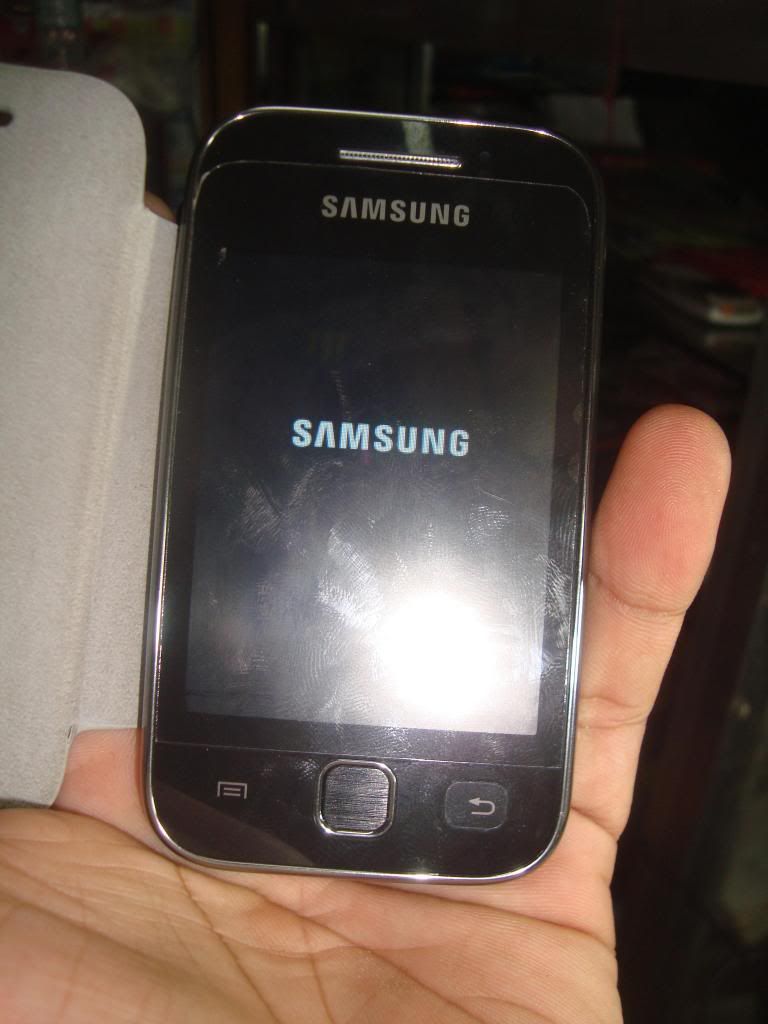
assemble and power on ang unit...

Tuesday, October 15, 2013
Samsung S5360 shorted / auto charging VERY SIMPLE solution!
kadalasan pag auto charging ang unang papalitan ay ang usb connector,ang problema wala akong makukuhanan ng usb connector para sa s5360.wala rin akong schematic kaya napilitan akong mag-experiment.
napansin ko shorted yung VBAT at yung supply galing sa USB CHARGER!!! yung voltage na galing sa battery ay pumapasok sa usb kaya sya auto charge kahit walang charger na nakakabit!!

kaya naisip ko na putulin yung LINYA ng USB gamit ang matalim na CUTTER. Biglang nawala yung shorted nya!! nawala rin pati auto charging!!

at ang matindi dito gumagana padin yung usb kahit putol yung linya,, may SEPERATE na linya pa pala yung usb papuntang charging ic!!!

tinesting ko lahat gumagana:
napupuno yung battery pag nag-charge
nade-detect padin sa USB ng computer
ok lahat.

Sunday, June 23, 2013


Wednesday, August 1, 2012


Wednesday, July 11, 2012


Thursday, June 7, 2012
Samsung S5360 Unlock Done
Procedure:
put the update zip in MMC root folder
then hold volume down+home button+power and the phone will turn on
just wait and click the update zip to be rooted so that you install super user icon
open samsung tool choose right model tick unlock the super user will pop up 3 times
Done like this...

for newbie
put the update zip in MMC root folder
then hold volume down+home button+power and the phone will turn on
just wait and click the update zip to be rooted so that you install super user icon
open samsung tool choose right model tick unlock the super user will pop up 3 times
Done like this...
Code:
Count supported models - 302
Searching Samsung USB Modem... Detected (COM37)
Model:  GT-S5360
SW:  BCM21553_Modem_SI1220.2_V2.4
IMEI:  351824059984458
Done with Samsung Tool ver 12.2
Starting ADB Server... OK
Checking ROOT... TRUE
Reading Phone Info... OK
Android Version:  2.3.6
Model:  GT-S5360
Phone Version:  S5360DXLA1
PDA Version:  S5360DXLA1
CSC Version:  S5360OLBLA1
IMEI:  351824059984458
Reading Data From Phone... OK
Unlocking... OK
Done with Samsung Tool ver 12.2
Friday, May 18, 2012


Thursday, February 2, 2012

Monday, January 30, 2012
SAMSUNG S5360 / Galaxy Young(Y) Unlocking Only
Action Taken:
1 Install S amsung kies http://www.softpedia.com/get/Internet/Telephony-SMS-GSM/Kies.shtml
2 power On Phone
3 Set S5360 and Click Unlock
4 Wait 'til Phone is Unlock OK

1 Install S amsung kies http://www.softpedia.com/get/Internet/Telephony-SMS-GSM/Kies.shtml
2 power On Phone
3 Set S5360 and Click Unlock
4 Wait 'til Phone is Unlock OK

Sunday, January 29, 2012
Samsung S5360 2.3.6 root then unlock via read codes
rooting instruction
z3x unlocking procedure
read codes only gumagana. Pag direct unlock lock pa rin
just press allow 3times when message pop-up [super user request] in your phone then wait for the codes calculation
enter codes with simcard ex. NET lock: #7465625*638*90203060#
here's my logs
4 units tested lock sa globe cant be direct unlock w/out rooting
direct unlock error in rooting always
Starting ADB Server... OK
Checking ROOT... FALSE
Reading Phone Info... OK
Android Version: 2.3.6
Model: GT-S5360
Phone Version: S5360DXKK2
PDA Version: S5360DXKK4
CSC Version: S5360OLBKK1
IMEI: 359961046279600
Rooting Phones... Error
Done with Samsung Tool ver 11.6
Quote:
| Root Samsung Galaxy Y S5360 Android 2.3.5 and Android 2.3.6 versions. 1. Download Update.zip file below attachment and copy the Update.zip file in to the root of the SD Card. 2. Switch off your mobile phone 3. After the complete phone switched off, go to recovery mode. For this recovery mode, hold the power, volume up and the home buttons simultaneously. 4. Now can navigate through recovery mode only with the volume up and down buttons. Select Update.zip and the root will be applied on your Galaxy Y. 5. Reboot your phone and it's rooted!! You can check for an application named "Super User" to check whether your phone is rooted or not. Note:- It is working in my mobile 100% without any problem. I am not responsible for, if it is not working, damage your mobile and or any other issues. |
read codes only gumagana. Pag direct unlock lock pa rin
just press allow 3times when message pop-up [super user request] in your phone then wait for the codes calculation
enter codes with simcard ex. NET lock: #7465625*638*90203060#
here's my logs
4 units tested lock sa globe cant be direct unlock w/out rooting
Quote:
| Count supported models - 270 Starting ADB Server... OK Checking ROOT... FALSE Reading Phone Info... OK Android Version: 2.3.6 Model: GT-S5360 Phone Version: S5360DXKK2 PDA Version: S5360DXKK4 CSC Version: S5360OLBKK1 IMEI: 359961046279600 Rooting Phones... Error Done with Samsung Tool ver 11.6 Starting ADB Server... OK Checking ROOT... FALSE Reading Phone Info... OK Android Version: 2.3.6 Model: GT-S5360 Phone Version: S5360DXKK2 PDA Version: S5360DXKK4 CSC Version: S5360OLBKK1 IMEI: 359961046279600 Rooting Phones... Error Done with Samsung Tool ver 11.6 Starting ADB Server... OK Checking ROOT... TRUE Reading Phone Info... OK Android Version: 2.3.6 Model: GT-S5360 Phone Version: S5360DXKK2 PDA Version: S5360DXKK4 CSC Version: S5360OLBKK1 IMEI: 359961046279600 Reading Data From Phone... OK Please Wait, Calculating Codes... OK (time - 00:00:09) Freeze code: 60203000 NET lock: #7465625*638*40901010# Sub lock: #7465625*782*00000000# SP lock: #7465625*77*00000000# CP lock: #7465625*27*00000000# Multi lock: #7465625*685*00000000# For check lock status: *#7465625# Done with Samsung Tool ver 11.6 Starting ADB Server... OK Checking ROOT... TRUE Reading Phone Info... OK Android Version: 2.3.6 Model: GT-S5360 Phone Version: S5360DXKK2 PDA Version: S5360DXKK4 CSC Version: S5360OLBKK1 IMEI: 359961045584273 Reading Data From Phone... OK Please Wait, Calculating Codes... OK (time - 00:00:14) Freeze code: 10902090 NET lock: #7465625*638*90309010# Sub lock: #7465625*782*00000000# SP lock: #7465625*77*00000000# CP lock: #7465625*27*00000000# Multi lock: #7465625*685*00000000# For check lock status: *#7465625# Done with Samsung Tool ver 11.6 Starting ADB Server... OK Checking ROOT... TRUE Reading Phone Info... OK Android Version: 2.3.6 Model: GT-S5360 Phone Version: S5360DXKK2 PDA Version: S5360DXKK4 CSC Version: S5360OLBKK1 IMEI: 359961045584661 Reading Data From Phone... OK Please Wait, Calculating Codes... OK (time - 00:00:13) Freeze code: 80403010 NET lock: #7465625*638*40400060# Sub lock: #7465625*782*00000000# SP lock: #7465625*77*00000000# CP lock: #7465625*27*00000000# Multi lock: #7465625*685*00000000# For check lock status: *#7465625# Done with Samsung Tool ver 11.6 Starting ADB Server... OK Checking ROOT... TRUE Reading Phone Info... OK Android Version: 2.3.6 Model: GT-S5360 Phone Version: S5360DXKK2 PDA Version: S5360DXKK4 CSC Version: S5360OLBKK1 IMEI: 359961046280772 Reading Data From Phone... OK Please Wait, Calculating Codes... OK (time - 00:00:14) Freeze code: 90107010 NET lock: #7465625*638*90203060# Sub lock: #7465625*782*00000000# SP lock: #7465625*77*00000000# CP lock: #7465625*27*00000000# Multi lock: #7465625*685*00000000# For check lock status: *#7465625# Done with Samsung Tool ver 11.6 |
Quote:
Count supported models - 270Starting ADB Server... OK
Checking ROOT... FALSE
Reading Phone Info... OK
Android Version: 2.3.6
Model: GT-S5360
Phone Version: S5360DXKK2
PDA Version: S5360DXKK4
CSC Version: S5360OLBKK1
IMEI: 359961046279600
Rooting Phones... Error
Done with Samsung Tool ver 11.6
Sunday, January 15, 2012
S5360 unlock done
PROCEDURE FOR DOWNGRADE :
PUT DOWNLOADMODE
press Volume Down + Home + Power Key
press volume up (to continue)
OPEN ODIN
1.For Check This Options: Re-Partition, Auto Reboot, F.Reset Time
2.For PIT file select: totoro_0623.pit
3. For BOOTLOADER select: DefaultCalDataWithBoot_S5360xxxxx_REV05.tar.md5
4. For PDA select: PDA_S5360xxxxx_REV05.tar.md5
5. For PHONE select: MODEM_S5360xxxxx_REV05.tar.md5
6. For CSC select: GT-S5360-MULTI-CSC-Oxxxxx.tar.md5

PROCEDURE FOR UNLOCK
open samsung tool
select phone model
set com port setting
check Read Codes Tab
hit UNLOCK tab ( hintayin 1-2min hanggang lumabas ang unlock code )
ilagay ang non-accepted sim at enter NET LOCK
UNLOCK complete

at ito nman po yong isa...

PUT DOWNLOADMODE
press Volume Down + Home + Power Key
press volume up (to continue)
OPEN ODIN
1.For Check This Options: Re-Partition, Auto Reboot, F.Reset Time
2.For PIT file select: totoro_0623.pit
3. For BOOTLOADER select: DefaultCalDataWithBoot_S5360xxxxx_REV05.tar.md5
4. For PDA select: PDA_S5360xxxxx_REV05.tar.md5
5. For PHONE select: MODEM_S5360xxxxx_REV05.tar.md5
6. For CSC select: GT-S5360-MULTI-CSC-Oxxxxx.tar.md5

PROCEDURE FOR UNLOCK
open samsung tool
select phone model
set com port setting
check Read Codes Tab
hit UNLOCK tab ( hintayin 1-2min hanggang lumabas ang unlock code )
ilagay ang non-accepted sim at enter NET LOCK
UNLOCK complete
at ito nman po yong isa...
Saturday, December 10, 2011






Subscribe to:
Posts (Atom)