procedure:
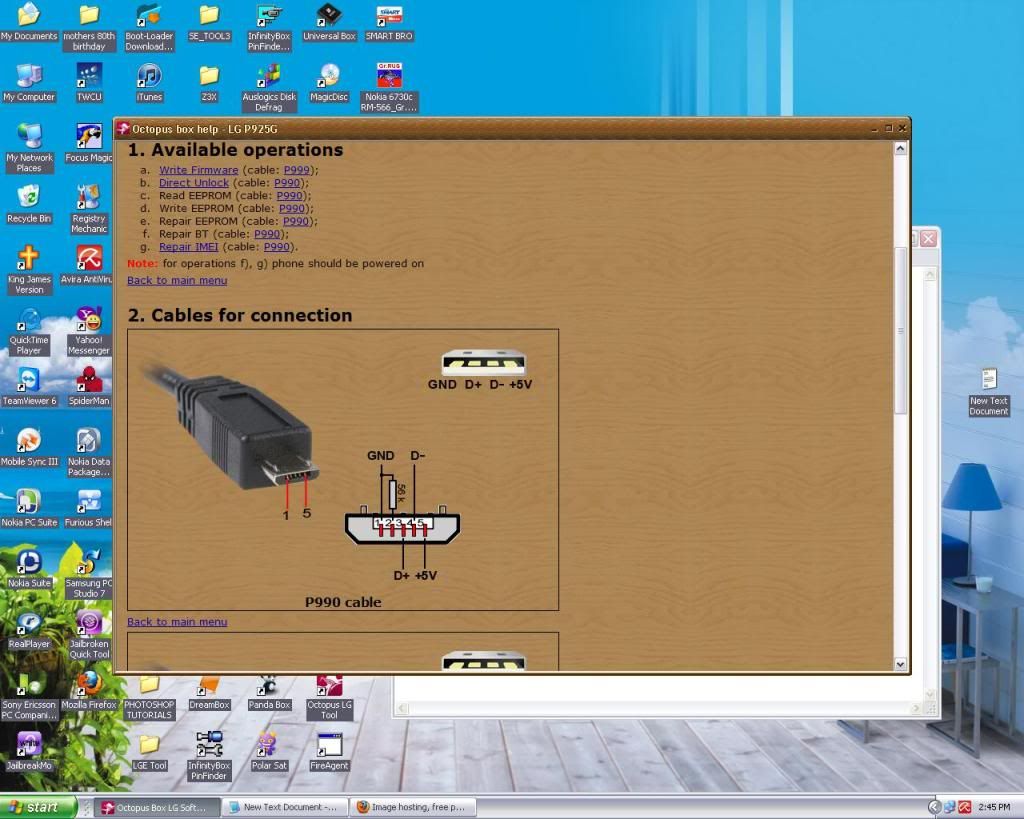
Please, power phone ON, connect P990 cable (with 56k resistor), type
3845#*925#, go to "Port Setting", select "CP Image download" and click
"OK"
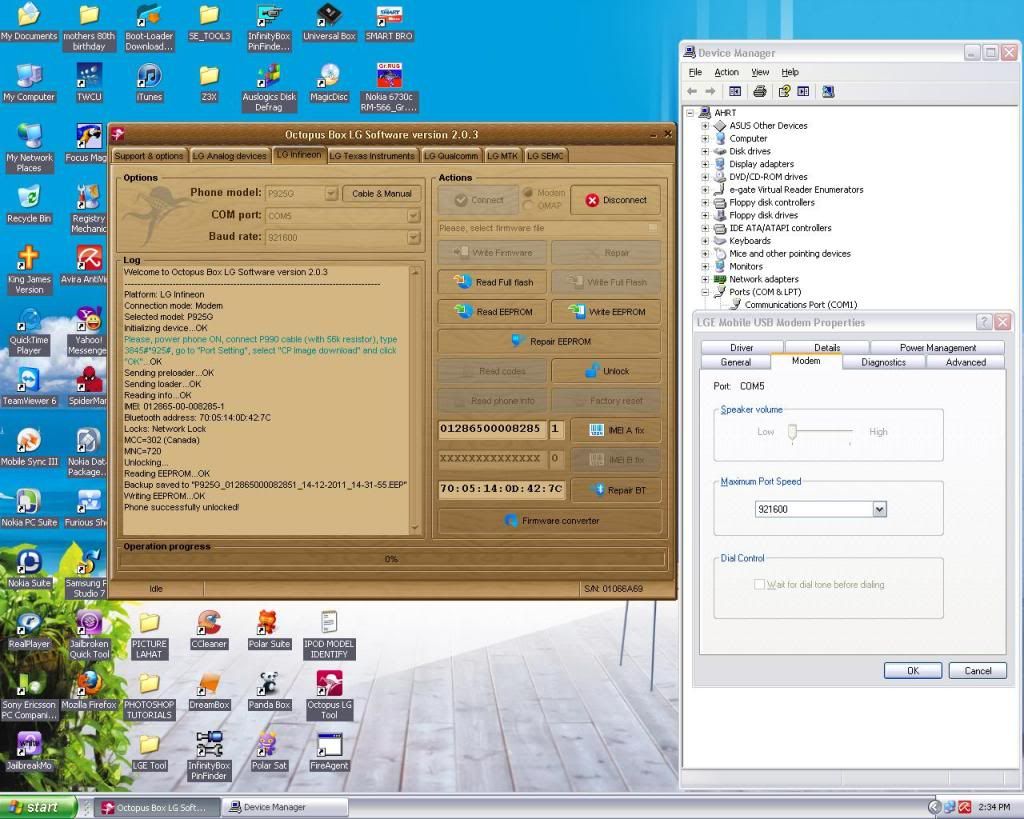
on software select com port from the modem port in device manager
click connect :software read phone info
then press unlock.


LOGS:
Welcome to Octopus Box LG Software version 2.0.3
--------------------------------------------------------------------------------
Platform: LG Infineon
Connection mode: Modem
Selected model: P925G
Initializing device...OK
Please, power phone ON, connect P990 cable (with 56k resistor), type
3845#*925#, go to "Port Setting", select "CP Image download" and click
"OK"...OK
Sending preloader...OK
Sending loader...OK
Reading info...OK
IMEI: 012865-00-008285-1
Bluetooth address: 70:05:14:0D:42:7C
Locks: Network Lock
MCC=302 (Canada)
MNC=720
Unlocking...
Reading EEPROM...OK
Backup saved to "P925G_012865000082851_14-12-2011_14-31-55.EEP"
Writing EEPROM...OK
Phone successfully unlocked!
Please, power phone ON, connect P990 cable (with 56k resistor), type
3845#*925#, go to "Port Setting", select "CP Image download" and click
"OK"
on software select com port from the modem port in device manager
click connect :software read phone info
then press unlock.
LOGS:
Welcome to Octopus Box LG Software version 2.0.3
--------------------------------------------------------------------------------
Platform: LG Infineon
Connection mode: Modem
Selected model: P925G
Initializing device...OK
Please, power phone ON, connect P990 cable (with 56k resistor), type
3845#*925#, go to "Port Setting", select "CP Image download" and click
"OK"...OK
Sending preloader...OK
Sending loader...OK
Reading info...OK
IMEI: 012865-00-008285-1
Bluetooth address: 70:05:14:0D:42:7C
Locks: Network Lock
MCC=302 (Canada)
MNC=720
Unlocking...
Reading EEPROM...OK
Backup saved to "P925G_012865000082851_14-12-2011_14-31-55.EEP"
Writing EEPROM...OK
Phone successfully unlocked!

No comments:
Post a Comment