Wednesday, January 30, 2013

Samsung SC-02C GALAXY S II NTT docomo (v2.3.3),direct unlock by z3x


SC-02C GALAXY S II NTT docomo (v2.3.3),direct unlock by z3x!!!
Tools To Used: Z3X BOX
Usb cable like nokia 5310


Procedure:
Debug first before unlock
Go to settings,APPLICATIONS,DEVELOPMENT,
USB DEBUGGING(CHECK)/YES
CONNECT USB
INSTALL DRIVER IF NEEDED
select model I9100
click UNLOCK


note: low version ginamit ko may error kasi sa new version


Samsung Galaxy S2 i9100G Download mode done


Tools and Procedure

ina update nya ng ICS at ginamit na rom ay pang i9100

5310 usb
install driver
download mode = volume down+home button+power
odin 3.07

i9100 2.3.6


Tuesday, January 15, 2013

S6830 samsung china lock code DONE..[SOLVED]


HISTORY: nilagyan ng code taz nakalimutan..TOOLS: Volcano Box & P-05B chip cableACTION TAKEN: connect phone to box then tick Phone reset
eto po sya..


eto po ginawa ko..

then result.. finish product..


Samsung Galaxy S III sch-i535 CDMA unlock no root,no risk,no box


sch-i535 / i535 unlock version 4.0.4 verizon
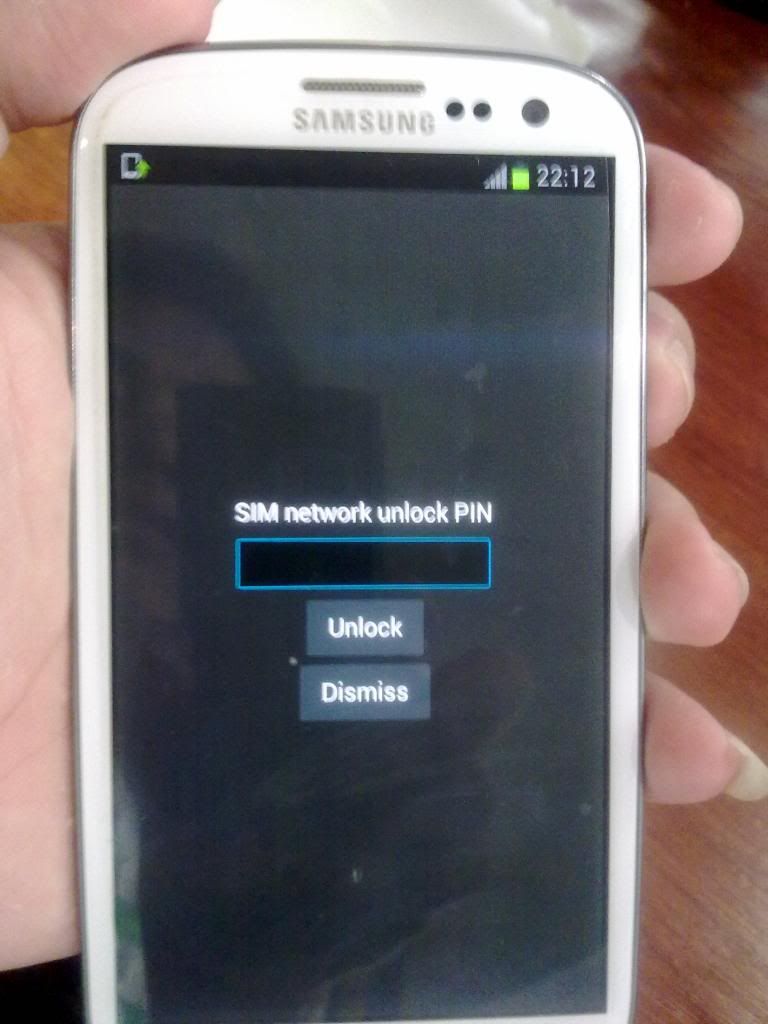


ito po instruction
1. pindutin ang *#22745927 at enable ninyo ang menu
2. open ang wifi pumasok sa playstore at search ang netmonitor at install
3. open ang netmonitor pindutin ang fieldtest sa bandang kaliwang baba na button
4. kapag Test Mode na pumunta sa UMTS > DEBUG SCREEN > PHONE CONTROL > NETWORK CONTROL > BAND SELECTION at piliin ang GSM Band preference.bumalik sa fieldtest muli
5. testmode ulit at pumunta sa CDMA > COMMON > NEXT PAGE > NEXT PAGE > PREF MODE SET at piliin ang GSM/WCDMA lamang...
6. mag RESTART.....tapos na po...
7. gumagana call and text basta may load..
7. salapi!

sony ericson v630i white screen done


model: sony ericson v630i
status: white screen
tools: setool and usb cable and good flash file >http://www.4shared.com/rar/p-rcAL6L/..._MW_RED_C.html
procedure: select model>identify to know cid i.d> put flash> go to settings 1&3> click flash > click unlock repair done.


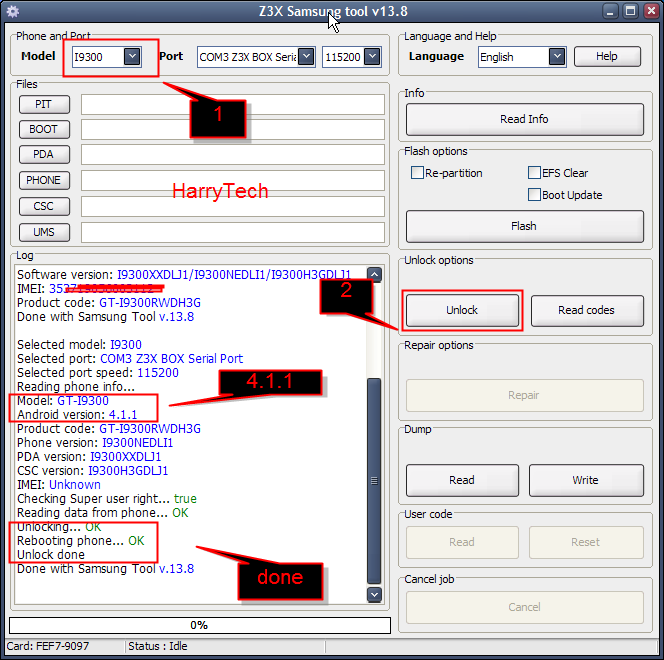
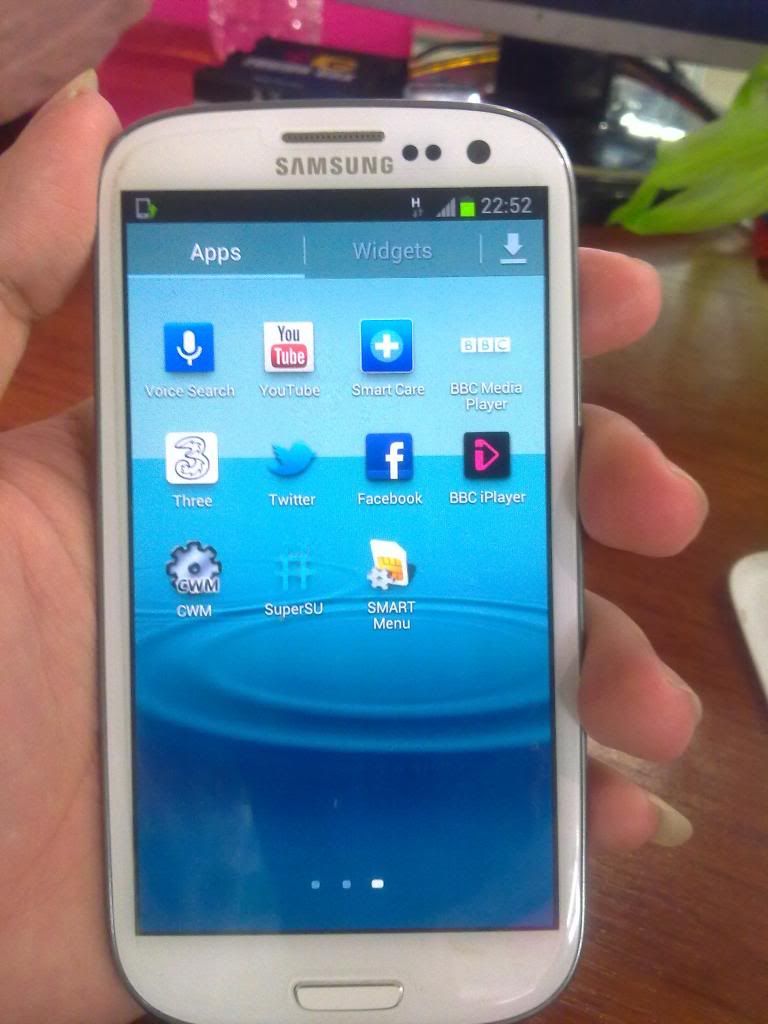
SAMSUNG I9300 S III 4.1.1 unlock done


MODEL-I9300 (SIII)

STATUS-Lock to UK


TOOLS-z3x box & usb cable

Quote:
ROOTING:

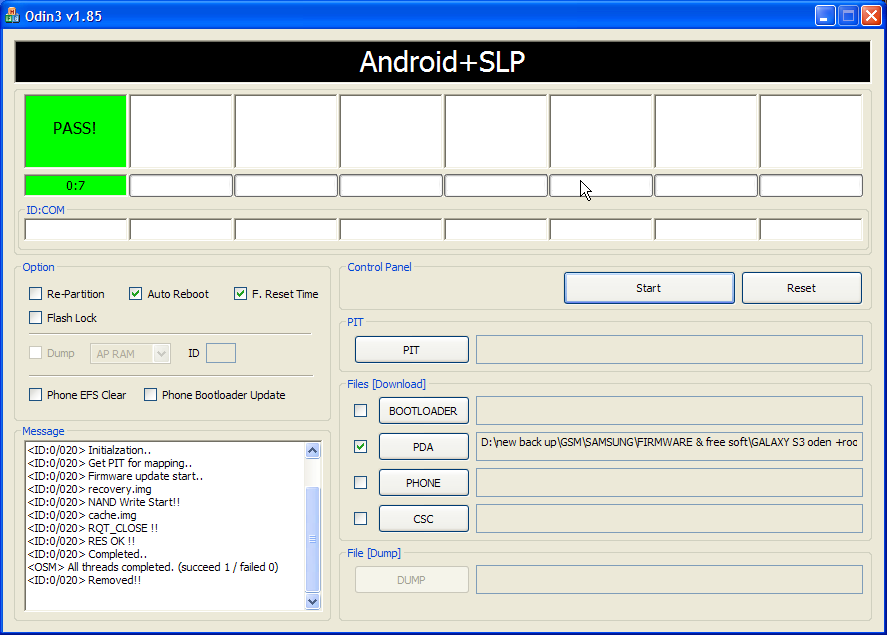
-Download ODIN 1.85, which is the tool you’ll need to flash the CF-Root package onto your device.

-Download the CF-Root-SGS3-v6.0.zip package, and extract.

Once you’ve unpacked your CF-Root archive, you should end up with CF-Root-SGS3-v6.0.tar

-Ensuring your device is not connected to your computer, run ODIN.

-Click PDA, and select the .tar you extracted back in Step 2.

-Place your device into Download Mode by turning it off, and holding Volume Down + Home

+ Power simultaneously. Once that’s done, reconnect your phone to your computer.

-Ensuring the Repartition option is not checked, click Start

FOLLOW SREENSHOT


FINISH


Nokia 1280 no power DONE by crack software


HISTORY: unknown
TOOLS: ufc v.2 cable & tornado box
ACTION TAKEN: connect cable to phone then flash..

eto po sya..


eto po ginawa ko..


then flashing mode na..


finish flashing..


eto logs nya..
Quote:
Read and Check phone data...
Infineon checking...
Booting phone now....
Sync Ok , A2
CPU ID : XGOLD , A200341100
Boot Ok , 01
Error booting phone...

Selected FlashSettings : Manual
Files Set for Flashing :
MCU : rm647_03.600
PPM : rm647_03.60ia
CNT : rm647_nai03.60ia

Infineon flashing...
Booting phone now....
Sync Ok , A2
CPU ID : XGOLD , A200341100
Boot Ok , 01
PBL : SE0_091125 F11
Algo Ok , 01
SBL mode Ok
SBL : Default_RAM_Bootloader
EPP CFG [Bering]...
FLASH ID : 00EC000000542200
FLASH ID : Samsung, K8S6415E
Boot Done!

===Flashing [MCU]===
File : rm647_03.600
Image : hw_b2_rm647_r03.600.fls
Cert block found, sending....
Cert sent
Found 3 region(s)
Processing Region 1/3
Erase , Start : 0x00800000 , Len : 0x00210000
Erasing, wait ...
Erase done
Write , Start : 0x00800000 , Len : 0x00210000
Flashing , wait ...
Region flash done
Processing Region 2/3
Erase , Start : 0x00C60000 , Len : 0x001E8840
Erasing, wait ...
Erase done
Write , Start : 0x00C60000 , Len : 0x001E8840
Flashing , wait ...
Region flash done
Processing Region 3/3
Erase , Start : 0x00FFC000 , Len : 0x00000040
Erasing, wait ...
Erase done
Write , Start : 0x00FFC000 , Len : 0x00000040
Flashing , wait ...
Region flash done
Check : 4445
===Flashing [PPM]===
File : rm647_03.60ia
Image : hw_b2_rm647_003.60ia.fls
Cert block found, sending....
Cert sent
Found 1 region(s)
Processing Region 1/1
Erase , Start : 0x00210000 , Len : 0x00145900
Erasing, wait ...
Erase done
Write , Start : 0x00210000 , Len : 0x00145900
Flashing , wait ...
Region flash done
Check : 1557
===Flashing [CNT]===
File : rm647_nai03.60ia
Image : hw_b2_rm6470_nai03.60ia.fls
Cert block found, sending....
Cert sent
Found 1 region(s)
Processing Region 1/1
Erase , Start : 0x00EB0000 , Len : 0x00055000
Erasing, wait ...
Erase done
Write , Start : 0x00EB0000 , Len : 0x00055000
Flashing , wait ...
Region flash done
Check : 5500

Flashing done, rebooting...
-> Infineon info : Do FullFactory Sets after flashing
Flashing Done!

Init Service mode... Wait...

Afterflash settings...
SW ver : Error
IMEI : 355926046678899
PCode : 0593069
All done!

Connect phone on selected interface...

Phone found!
Series 40 Device detected!
read info... - Ok
try ko ON eto result..


finish product DONE..